
Mac vs Windows for Programming in 2026: The Ultimate Developer Guide
The debate is as old as modern computing itself, but in 2026, the question of Mac vs Windows for programming has entirely new rules. With Apple’s M4 chips pushing the boundaries of power efficiency and Windows firing back with highly optimized ARM processors and deep Linux integration (WSL2), choosing your daily driver is harder than ever.
Your operating system dictates your workflow, your toolset, and ultimately, your productivity. A web developer compiling heavy frontend assets has very different needs from a game developer rendering 3D environments in Unreal Engine 5.
At ByteAtlasLabs, we test both ecosystems daily. In this guide, we break down the pros, cons, and performance realities of macOS and Windows to help you choose the best environment for your software engineering career in 2026.
The 2026 Ecosystem: What Changed for Developers?
Before we declare a winner in the Mac vs Windows for programming debate, we have to look at how the landscape has drastically shifted in 2026.
Historically, Windows laptops were powerful but hot and heavy, while Macs were premium but lacked native gaming and enterprise support. Today, the lines are blurred:
- Apple’s Silicon Dominance: With the rollout of the M4 architecture, Apple has solidified its lead in performance-per-watt. Compiling massive codebases no longer drains your battery in two hours.
- The Windows ARM Revolution: Windows has successfully integrated advanced ARM-based processors (like the latest Snapdragon and Intel Core Ultra series), drastically improving battery life and thermal performance for PC users.
- WSL2 is Now Flawless: The Windows Subsystem for Linux 2 (WSL2) has matured completely. Windows developers can now run a native Linux kernel seamlessly alongside their Windows apps, eliminating the old “it works on my machine” headache.
Mac for Programming: Why Developers Love macOS
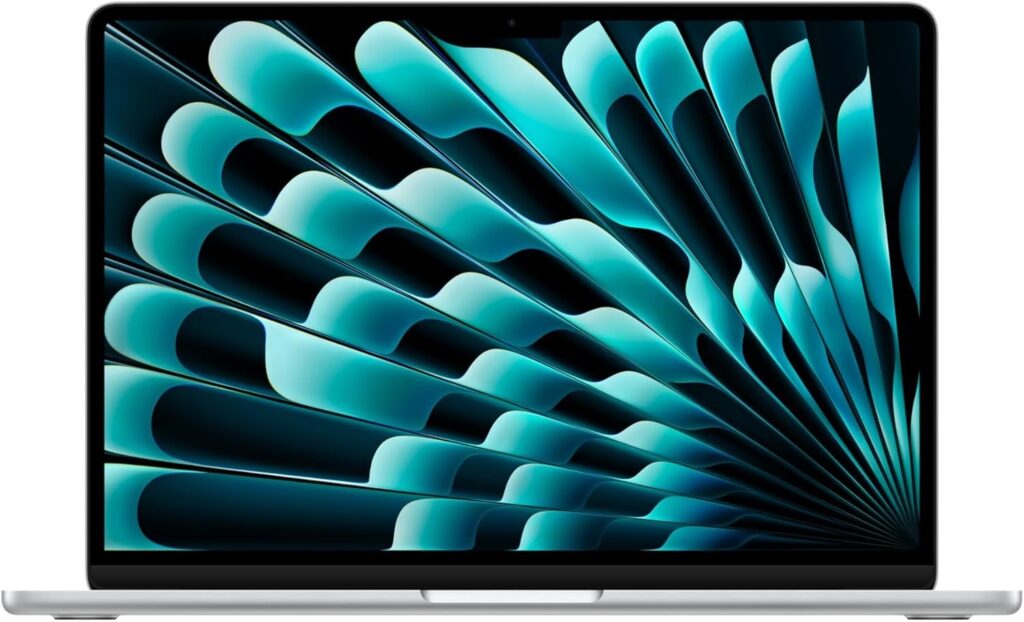
Walk into any Silicon Valley startup or tech conference, and you will see a sea of glowing Apple logos. But is macOS actually better for coding, or is it just industry hype? Here is why macOS remains the gold standard for many software engineers.
The Native UNIX Foundation
At its core, macOS is certified UNIX. For web developers, backend engineers, and DevOps professionals, this is a game-changer. The macOS terminal uses Zsh (and previously Bash) natively. This means the commands you write on your local machine are practically identical to the commands you will run on your Linux production servers. Setting up Docker, Node.js, Ruby, or Python environments is incredibly smooth without needing third-party workarounds.
Mandatory for iOS and Apple Ecosystem Dev
If you want to build native applications for the iPhone, iPad, Mac, or Apple Vision Pro, you must use a Mac. Apple strictly requires Xcode for compiling and publishing to the App Store, and Xcode is only available on macOS. While cross-platform frameworks like React Native and Flutter exist, you still need a Mac to compile the final iOS build.
Exceptional Hardware-Software Synergy
Because Apple designs both the M4 chips and macOS, the optimization is unmatched. Memory management is incredibly efficient, meaning a 16GB MacBook Air can often handle heavy IDEs (like IntelliJ or Android Studio) and dozens of browser tabs better than a similarly specced Windows machine.
The Verdict on Mac: Pros & Cons
Pros of Mac for Programming
Native UNIX environment (flawless terminal experience).
Required for iOS/macOS app development.
Unbeatable battery life and silent operation (especially on MacBook Air).
High resale value and exceptional build quality.
Cons of Mac for Programming
High barrier to entry (expensive to upgrade RAM or storage).
Poor native support for game development engines (limited DirectX/Vulkan support).
Docker can sometimes consume more resources compared to native Linux.
Pro Tip: If you’ve decided that macOS is the right choice for your workflow, check out our detailed breakdown of the best MacBooks for developers in 2026 to find the perfect spec for your budget.
💡 ByteAtlasLabs Recommendation:
MacBook Air 13” (M4) — 16GB RAM For most web developers, this machine offers the best balance of price and performance in 2026.
Windows for Programming: The Versatile Workhorse
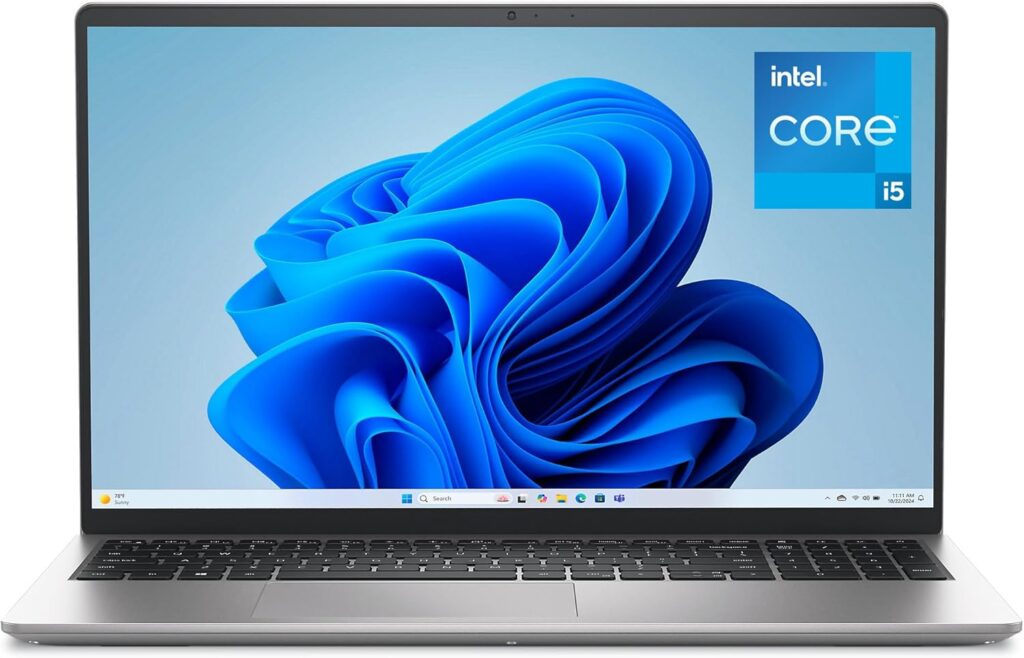
For a long time, the argument against Windows was its lack of a native UNIX terminal. That era is officially over. Today, Windows is a powerhouse that offers unparalleled hardware flexibility and software compatibility, especially for those who need to jump between different types of development.
WSL2 Changed Everything
The game-changer for Windows developers is WSL2 (Windows Subsystem for Linux). It allows you to run a full-featured Linux kernel (like Ubuntu) directly within Windows. You get the best of both worlds: the massive software library and GUI tools of Windows, combined with the power of a native Linux terminal for running servers, Docker containers, and database engines. For backend developers and DevOps engineers, this has bridged the gap with macOS completely.
The Game Development & Enterprise Standard
If your stack involves .NET, C#, or Unreal Engine, Windows is not just a choice—it’s a requirement. The integration with Visual Studio (the full IDE, not just Code) is unmatched on Windows. Furthermore, for Game Developers, the DirectX API makes Windows the native home for game testing and debugging.
Hardware Flexibility and “Pro” Upgradability
Unlike Apple, Windows laptops don’t treat RAM and SSDs like gold bullion. You can often buy a mid-range laptop and upgrade it yourself later, which is a huge money-saver for students and engineers starting their careers.
The Verdict on Windows for Programming
Pros of Windows for Programming:
WSL2 integration: Runs Linux workloads natively and efficiently.
Unbeatable Game/Enterprise Dev: Native support for .NET, DirectX, and Unreal.
Hardware Variety: A massive range of laptops at every price point; easy to upgrade RAM/SSD.
Backward Compatibility: Runs almost any software ever written for x86 architecture.
Cons of Windows for Programming:
Driver & Update Bloat: Occasional background updates can interrupt your focus.
Battery Life: While improving, it generally lags behind Apple’s M-series chips for mobile workloads.
System Clutter: Windows can feel “messy” over time compared to the clean, consistent UI of macOS.
💡 Recommended Windows Setup :
For developers who need a reliable workhorse for heavy tasks like running Docker containers, VMs, or Unreal Engine, we recommend the ASUS ROG Strix G16. It offers the thermal headroom and raw CPU power that most thin-and-light laptops lack.
The Rise of AI/ML: Where Does Your Hardware Stand?
In 2026, AI development isn’t just a niche—it’s at the heart of modern software engineering. Whether you are fine-tuning a Large Language Model (LLM) locally or building agentic workflows, the hardware requirements have changed significantly.
The CUDA Advantage (Windows)
If your primary focus is Deep Learning (PyTorch, TensorFlow), Windows laptops with NVIDIA RTX GPUs are the industry standard. This is thanks to CUDA, NVIDIA’s parallel computing platform that acts as the backbone for almost every modern AI library.
- The Gear: If you’re looking for this power, we previously recommended the Acer Swift X 14 in our top-picks guide, as it manages to pack an RTX GPU into a portable chassis without sacrificing too much mobility.
- Why it matters: CUDA enables your GPU to handle thousands of mathematical operations simultaneously, turning training times from weeks into hours.
Local Inference & Efficiency (macOS)
On the other hand, if your AI work revolves around inference (running pre-trained models locally) or building macOS-native AI apps, Apple’s Silicon is becoming a powerhouse.
- Why it matters: Apple’s Unified Memory Architecture allows the GPU to access the same massive RAM pool as the CPU, letting you load much larger models than you could on a standard 8GB or 16GB VRAM Windows laptop. Plus, the efficiency of the M4/M5 chips means you can run these models on battery power for hours—something that would melt most high-performance Windows laptops in minutes.
Quick Comparison Table
| Feature | macOS (Apple Silicon) | Windows (NVIDIA-Powered) |
| Primary AI Strength | Local Inference (Running models) | Model Training & CUDA Ecosystem |
| Memory Strategy | Unified Memory (Large capacity) | Dedicated VRAM (High speed) |
| Best For | Mobile AI, Prototyping, Portability | Heavy Training, Research, Research |
| Top Recommendation | MacBook Pro / Air (M4) | ASUS ROG Strix / Acer Swift X |
Final Verdict: Which OS Should You Choose in 2026?
The truth is, in 2026, there is no single “best” operating system for programming—only the best OS for your specific stack. Both macOS and Windows have evolved significantly to eliminate their historic weaknesses.
Here is the ByteAtlasLabs bottom line:
- Choose Mac if: You are a web developer, a full-stack engineer, or an iOS app creator. The native UNIX foundation, all-day battery life, and unified memory of the Apple M-series chips make it the ultimate friction-free coding environment.
- Choose Windows if: You work in game development (Unreal/Unity), enterprise .NET environments, or heavy machine learning where you need NVIDIA’s CUDA cores. Windows, paired with WSL2, gives you the raw compute power, Linux integration, and hardware flexibility that Apple simply doesn’t offer at lower price points.
Ready to upgrade your dev setup? Stop agonizing over spec sheets. Check out our rigorously lab-tested guide to the 5 Best Laptops for Software Engineers in 2026 to find the perfect machine for your budget and workflow. We’ve done the benchmarking so you can get back to writing code.
Frequently Asked Questions (FAQ)
1. Is macOS faster than Windows for programming?
It depends on the workload. For web development, running Node.js, and compiling iOS apps, Apple’s M-series chips (like the M4) are incredibly fast and power-efficient. However, for tasks requiring heavy parallel processing, like training Machine Learning models or compiling large 3D game environments, a Windows machine with a dedicated NVIDIA RTX GPU will be significantly faster.
2. Can you run Linux on Windows?
Yes, absolutely. Thanks to the Windows Subsystem for Linux (WSL2), developers can now run a full Linux kernel natively within Windows. This eliminates the need for clunky dual-boot setups or resource-heavy virtual machines, making Windows an excellent environment for Docker, backend development, and DevOps.
3. Do developers prefer Mac or Windows?
In startups, web development, and mobile app creation, macOS is generally preferred due to its UNIX-based terminal and the strict requirement of Xcode for iOS development. However, in enterprise environments (like C# and .NET), game development (Unreal/Unity), and data science, Windows remains the dominant and preferred choice.