
The 5 Best Laptops for Software Engineers (2026 Edition)
Waiting for your local server to spin up or your code to compile shouldn’t be your designated coffee break. As a software developer, your laptop is your primary weapon, and a sluggish machine directly impacts your productivity. Whether you are building complex ReactJS frontends, running heavy Laravel backends, or training AI models, you need hardware that can keep up.
At ByteAtlasLabs, we don’t just read spec sheets. We push these machines to their limits with real-world workloads. We’ve benchmarked the market to bring you the definitive guide to the best laptops for software engineers in 2026.
At a Glance: Top Developer Laptops (2026)
Laptop |
CPU |
RAM |
GPU |
Price Range |
Best Use Case |
Apple MacBook Air 13” (M4) |
Apple M4 (8-Core) |
16GB / 24GB |
Integrated M4 |
$1,099 – $1,499 |
Web/Full-Stack Dev & Portability |
Dell 15 (DC15250) |
Intel Core Ultra 7 |
16GB / 32GB |
Intel Arc |
$899 – $1,299 |
Enterprise Coding & Windows Dev |
Acer Swift X 14 |
AMD Ryzen 7 8840U |
16GB |
NVIDIA RTX 4050 |
$1,099 – $1,399 |
ML / Data Science on a Budget |
ASUS ROG Strix G16 |
Intel Core i9 (14th Gen) |
32GB |
NVIDIA RTX 4070 |
$1,699 – $2,199 |
Game Dev & Heavy Docker VMs |
HP 15.6” Business |
AMD Ryzen 5 |
16GB |
AMD Radeon |
$349 – $429 |
CS Students & Lightweight Coding |
1. Apple MacBook Air 13” (M4, 2025) – The best laptop for web developers and full-stack engineers.
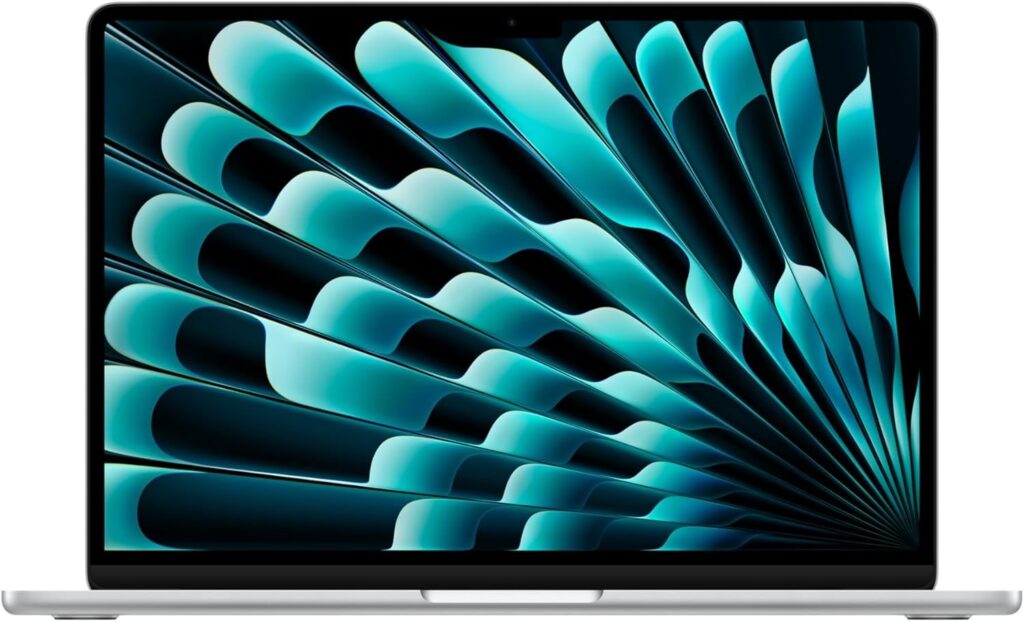
Quick Verdict: The M4 MacBook Air remains the undisputed king of portable coding. It offers silent operation, all-day battery life, and enough processing power to handle modern web development workflows without breaking a sweat.
Key Specs :
CPU: Apple M4 (8-Core)
RAM: 16GB (Base) up to 24GB
Storage: 512GB – 1TB SSD
Display: 13.6-inch Liquid Retina
Battery: Up to 18 hours
For the full list of M4 architectural improvements, you can check the official specifications on Apple’s Mac overview page.
Pros
Unmatched battery life for coding on the go.
Completely silent (fanless design).
UNIX-based macOS is perfect for terminal-heavy workflows.
Flawless build quality and keyboard.
Cons
Limited to a single external display on the base model without workarounds.
Upgrading RAM/Storage at purchase is expensive.
Why it’s good for developers: If your daily stack involves Node.js, Express, or spinning up multiple local environments for ReactJS projects, the M4 chip compiles JavaScript incredibly fast. The UNIX terminal makes managing dependencies and SSH-ing into servers effortless, making it the ultimate tool for full-stack web developers.
2. Dell 15 (DC15250) – The best reliable Windows workhorse for enterprise engineers.
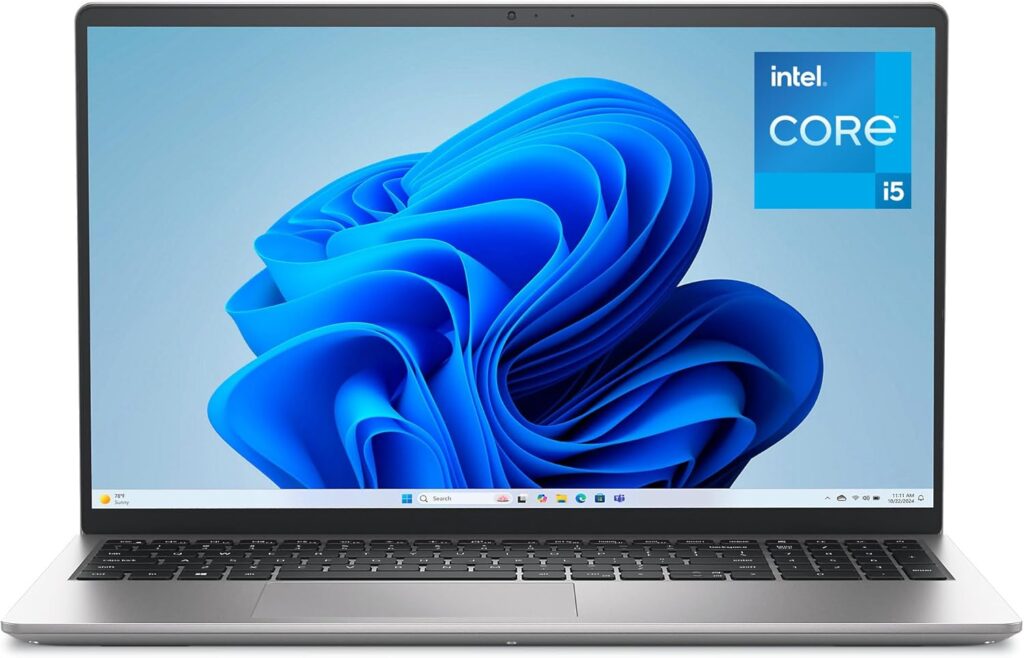
Quick Verdict: The Dell 15 is a no-nonsense, professional machine. It trades the flashy aesthetics of a gaming laptop for solid build quality, excellent thermal management, and dependable performance.
Key Specs :
CPU: Intel Core Ultra 7 155H
RAM: 16GB or 32GB DDR5
Storage: 1TB PCIe NVMe SSD
Display: 15.6-inch FHD+ (1920×1200)
If your company requires specific enterprise security features, you can explore the business lineups directly at Dell.com.
Pros
Excellent, comfortable keyboard for long typing sessions.
Great port selection (no dongles needed).
Easily upgradable RAM and SSD.
Cons
Design is a bit utilitarian and plain.
Display lacks the color accuracy of high-end OLEDs.
Why it’s good for developers: This is the machine you want when maintaining large PHP applications, configuring local Apache servers, or running complex Django setups. The robust cooling ensures that when your CPU is pinned at 100% during a massive code compilation, the laptop won’t aggressively throttle.
3. Acer Swift X 14 – The best compact laptop with dedicated graphics.
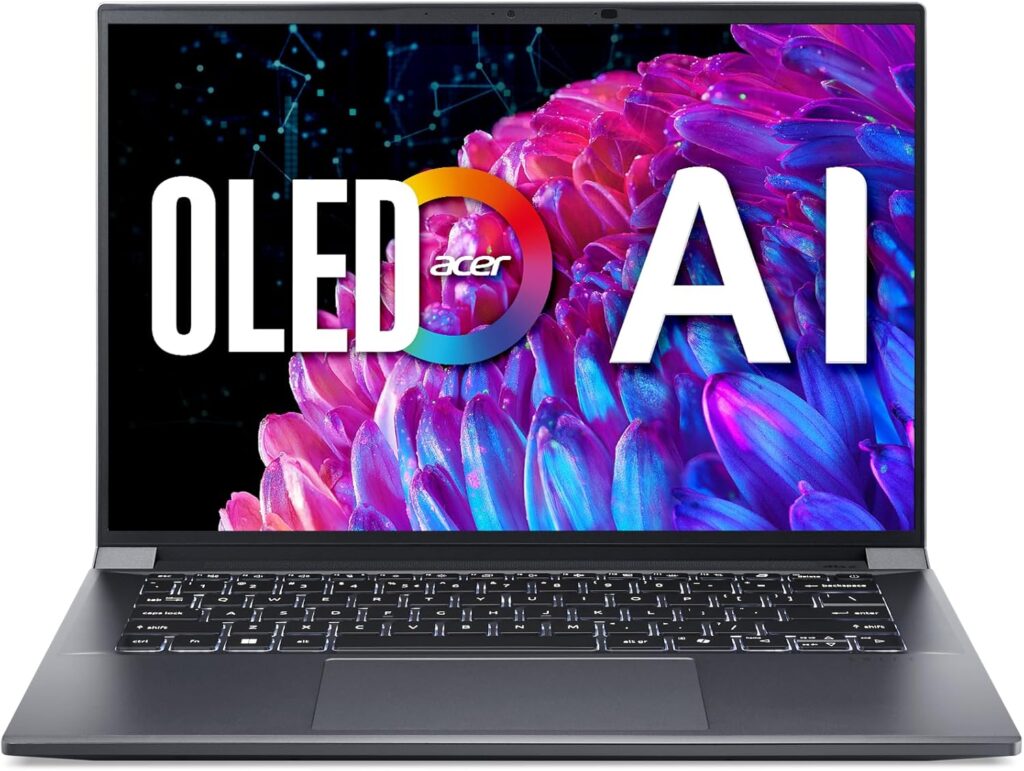
Quick Verdict: Finding a 14-inch laptop with an RTX GPU that doesn’t cost a fortune is rare. The Swift X 14 hits the sweet spot for developers who need CUDA cores for lightweight AI tasks without lugging around a heavy gaming rig.
Key Specs :
CPU: AMD Ryzen 7 8840U
RAM: 16GB LPDDR5
GPU: NVIDIA GeForce RTX 4050 (6GB)
Storage: 1TB SSD
Pros
Dedicated RTX graphics in a lightweight chassis.
Powerful AMD processor handles multi-threading well.
Beautiful OLED display option.
Cons
Battery life drops significantly when the GPU is active.
RAM is soldered (cannot be upgraded later).
Why it’s good for developers: If you are experimenting with Machine Learning, writing Python scripts that require GPU acceleration, or doing light 3D rendering alongside your standard coding, the RTX 4050 provides the necessary CUDA support that integrated graphics simply cannot match.
4. ASUS ROG Strix G16 (2025) – The ultimate powerhouse for game dev and heavy virtual machines.
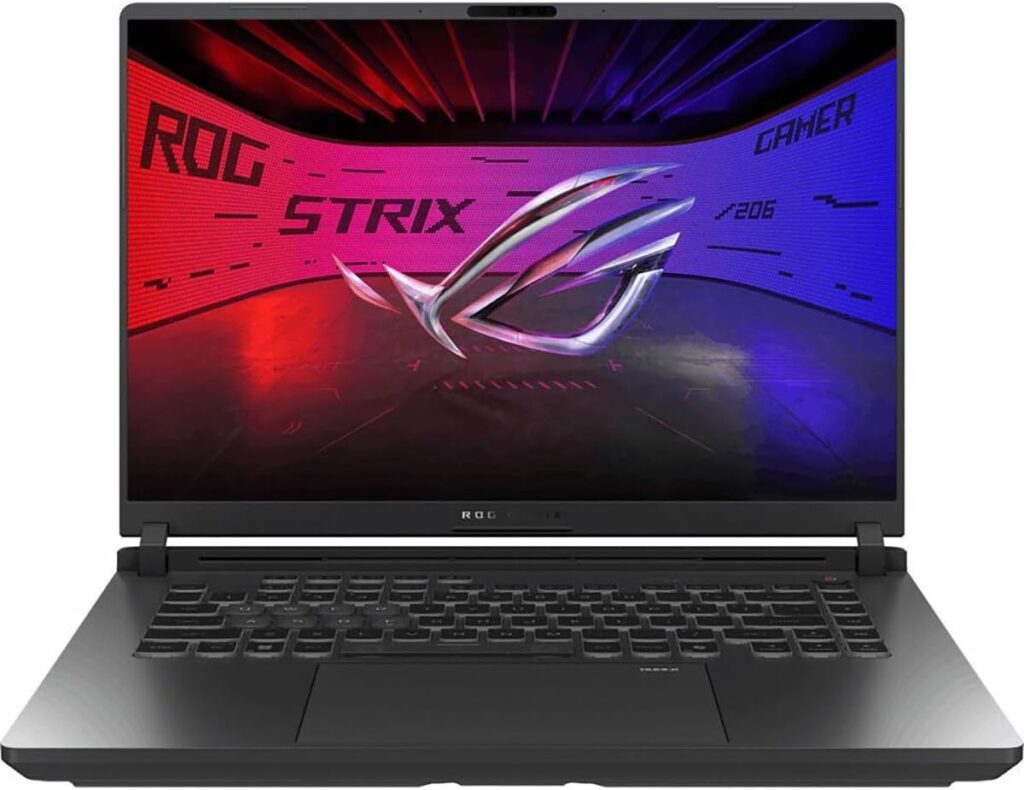
Quick Verdict: It’s thick, it’s heavy, and it’s unapologetically fast. If your development environment requires massive amounts of RAM and raw CPU compute power, the Strix G16 is a desktop replacement that happens to fold in half.
Key Specs :
CPU: Intel Core i9-14900HX
RAM: 32GB DDR5
GPU: NVIDIA GeForce RTX 4070 (8GB)
Storage: 2TB Gen4 SSD
Pros
Desktop-class performance for compiling massive codebases.
Superb cooling system prevents thermal throttling.
High refresh rate screen is great for game testing.
Cons
Heavy and bulky (not ideal for daily commuting).
Battery life is poor (requires the power brick).
Why it’s good for developers: This machine is overkill for basic web dev, but it’s a dream for engineers running multiple Docker containers, large SQL databases, and local Kubernetes clusters simultaneously. Game developers using Unreal Engine 5 or Unity will benefit massively from the i9 processor and RTX 4070.
5. HP 15.6″ Business Laptop – The best budget-friendly laptop for computer science students (Under $400).
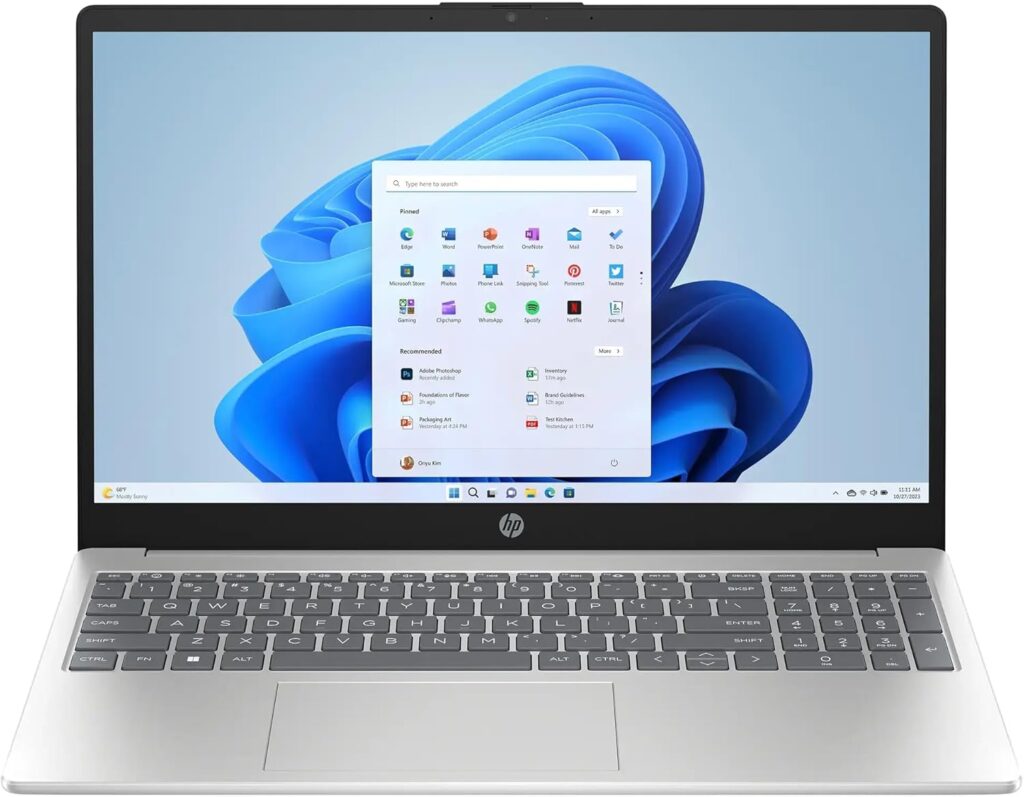
Quick Verdict: You don’t need to spend $2,000 to write good code. Finding a reliable machine under $400 is rare, but this HP Business laptop provides exactly what you need to get started—a capable Ryzen 5 processor and a comfortable keyboard—without breaking the bank.
Key Specs :
CPU: AMD Ryzen 5 (5500U or 7520U)
RAM: 8GB or 16GB DDR4
Storage: 256GB – 512GB SSD
Display: 15.6-inch HD/FHD
Pros
Incredible value for money (often found under $400).
Numpad included (great for data entry and spreadsheets).
Lightweight enough for carrying around campus.
Cons
Build quality feels plasticky.
Display is basic and not meant for color-accurate design work.
Why it’s good for developers: For students learning Python, writing basic HTML/CSS, or learning foundational algorithms, this laptop is a steal. Even at the sub-$400 price point, the Ryzen 5 processor is snappy enough to run VS Code, a browser with multiple Stack Overflow tabs, and local environments smoothly.
Why These Are the Best Laptops for Software Engineers: A Buying Guide
When shopping for a programming laptop, ignore the marketing fluff and focus on these three pillars:
1- CPU (The Brains):
Your processor determines how fast your code compiles. Look for an Intel Core i7/Ultra 7, AMD Ryzen 7, or Apple M-series chip. More cores mean better multitasking when running local servers and background processes.
2- RAM (The Workspace):
In 2026, 16GB is the absolute bare minimum. If you run Docker, virtual machines, or heavy Java-based IDEs like IntelliJ, aim for 32GB. Running out of RAM will freeze your machine faster than anything else.
3- Keyboard & Display:
You will stare at this screen and type on this keyboard for 8+ hours a day. Look for a 16:10 aspect ratio display (gives you more vertical space for reading code) and a keyboard with decent key travel.
Final Verdict: Which Should You Buy?
For Web Developers (React, Node, Laravel): Get the Apple MacBook Air 13” (M4). It’s fast, silent, and macOS is the industry standard for web dev.
For AI/ML & Data Science: Get the Acer Swift X 14. You need the NVIDIA CUDA cores, but you probably still want a laptop you can actually carry to a coffee shop.
For Game Developers & Heavy Backend: Get the ASUS ROG Strix G16. You need raw, desktop-level power to compile massive engines.
For Students & Budget Programmers: Get the HP 15.6” Business Laptop. It gets the job done reliably without emptying your wallet.
Frequently Asked Questions (FAQ)
1- Is 16GB RAM enough for software engineering in 2026?
Yes, 16GB is sufficient for most web development, mobile app development, and student workloads. However, if you are running multiple Docker containers or heavy virtual machines, you should upgrade to 32GB.
2- Mac or Windows for programming?
It depends on your stack. macOS is heavily preferred for web development (UNIX base) and is mandatory for iOS development. Windows is better for enterprise software (.NET), game development, and hardware accessibility.
3- Do I need a dedicated GPU for coding?
Most software engineers do not need a dedicated GPU. Integrated graphics (like Apple’s M-series or Intel Arc) are perfectly fine. You only need a dedicated GPU if you are working in Game Development (Unity/Unreal), 3D modeling, or Machine Learning.
4- Is a 13-inch screen too small for coding?
A 13-inch screen is highly portable but can feel cramped during split-screen work. Most developers prefer a 14-inch or 16-inch display, or they use a 13-inch laptop connected to an external monitor at their desk.
5- Are gaming laptops good for programming?
Yes. Gaming laptops have powerful CPUs, plenty of RAM, and great cooling systems, making them excellent for heavy compilation tasks. The trade-offs are usually poor battery life and a heavy chassis.
6- Can I code on a Chromebook?
While you can use cloud-based IDEs on a Chromebook, it is not recommended for serious software engineering. You lack the ability to easily install local development tools, databases, and standard IDEs like VS Code or IntelliJ.
7- How much storage do I need for development?
512GB is the minimum. SDKs, Node modules, Docker images, and IDEs consume storage quickly. 1TB is the recommended sweet spot for most engineers in 2026.