
Entering the field of artificial intelligence, data science, or machine learning can be incredibly overwhelming, especially when trying to choose the right hardware. Running complex neural networks, processing massive datasets, and training models locally require significant computational power. However, finding the best laptop for AI beginners does not mean spending $4,000 on an enterprise-grade workstation right out of the gate.
For computer science students and developers just starting with Python, TensorFlow, or PyTorch, the priority is finding a machine with the right balance of CPU processing, graphics processing (GPU), and memory capacity.
This comprehensive guide breaks down the top laptops for machine learning available today, analyzing real-world performance for data wrangling, model training, and everyday programming based on the latest 2024–2026 hardware releases.
Quick Comparison Table: Top Laptops for AI
Top 5 Laptops for AI Beginners (2026)
1. Lenovo Legion 5i (15-inch) – Best Overall AI Laptop
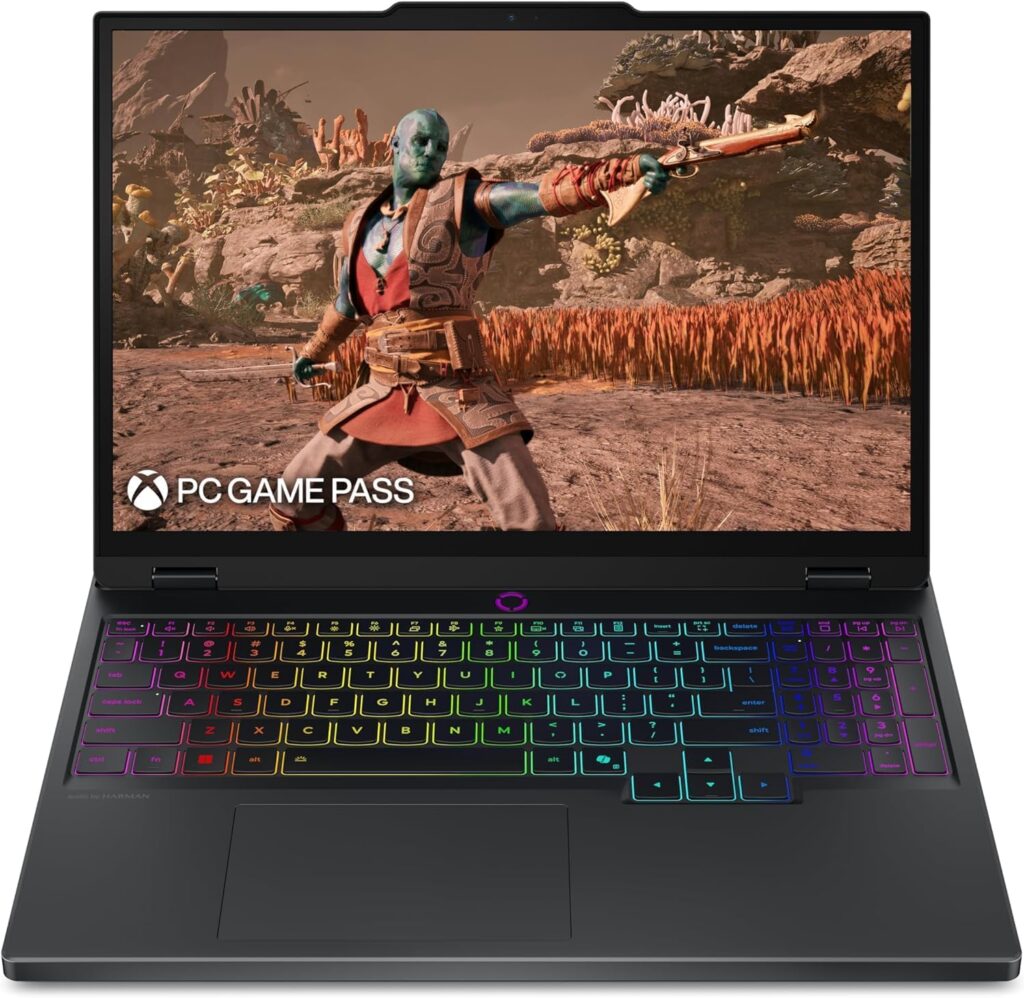
Equipped with the next-generation NVIDIA Blackwell architecture, the Lenovo Legion 5i is an absolute powerhouse for developers. It strikes the perfect balance between raw compute power and a stunning display, making it an ideal AI programming laptop.
- Processor (CPU): Intel Core i7-14700HX
- Graphics (GPU): NVIDIA GeForce RTX 5070
- Memory (RAM): 16GB DDR5
- Storage: 1TB NVMe SSD
- Display: 15″ 2.5K WQXGA PureSight OLED (165Hz)
Pros:
- Next-gen RTX 5070 provides incredible AI horsepower and CUDA performance.
- Brilliant OLED display with perfect color accuracy for data visualization.
- Excellent port selection and rapid charging (0 to 70% in under 30 mins).
- Robust cooling with copper heat pipes and aluminum heat sinks.
Cons:
- Battery life drains quickly under heavy GPU loads.
- Heavier than traditional ultrabooks.
Why it’s good for AI beginners: The RTX 5070 GPU is the star of the show here. It provides exceptional memory and parallel processing power required for local model training. Whether training convolutional neural networks (CNNs) or running local inference, this GPU ensures training times are kept to an absolute minimum. The 1TB of storage is also crucial for storing massive image or text datasets locally without needing external drives.
2. Apple MacBook Pro 14-inch (M4 Pro) – Best Mac for AI Beginners
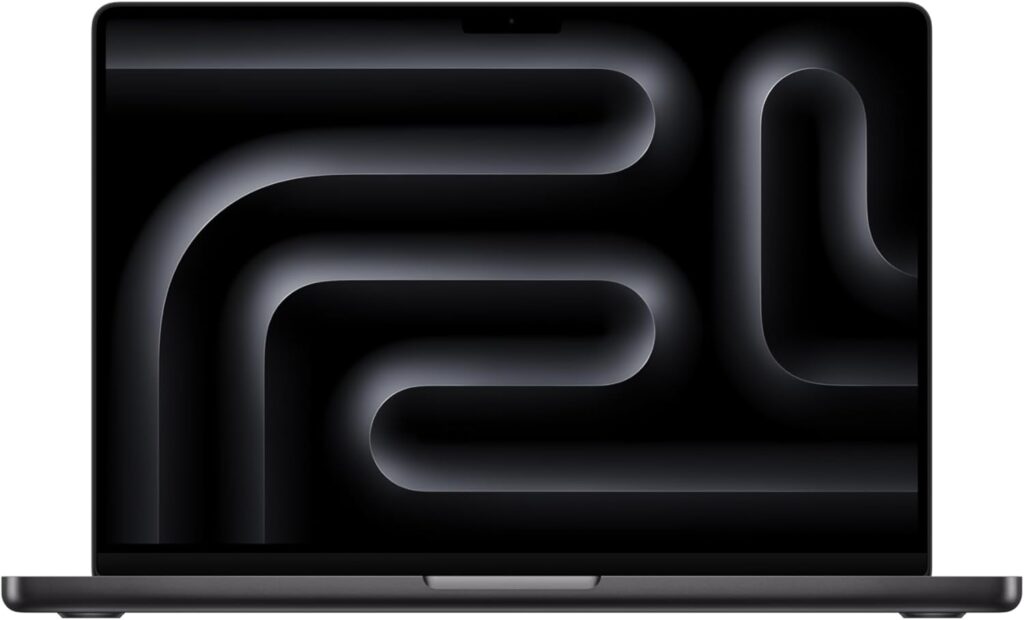
Historically, Windows machines with NVIDIA GPUs were strictly required for AI. Apple Silicon has changed the landscape entirely. With the new M4 Pro chip and Apple’s MLX framework, the 14-inch MacBook Pro is a formidable machine for modern AI development.
- Processor (CPU): Apple M4 Pro (12-core)
- Graphics (GPU): 16-Core Apple GPU
- Memory (RAM): 24GB Unified Memory
- Storage: 512GB SSD Storage
- Display: 14.2-inch Liquid Retina XDR
Pros:
- 24GB of Unified Memory is a game-changer for loading large AI models.
- Unmatched all-day battery life, even when compiling code.
- Unix-based macOS is natively excellent for software development.
- Phenomenal build quality and extreme portability.
Cons:
- No NVIDIA CUDA support (some legacy AI libraries may require workarounds).
- 512GB of base storage fills up quickly with large datasets.
Why it’s good for AI beginners: The secret weapon of the MacBook Pro is “Unified Memory.” In a standard laptop, a GPU has a hard limit on Video RAM (VRAM). On this Mac, the GPU can utilize the vast majority of the 24GB of unified memory. This allows beginners to run inference on surprisingly large Large Language Models (LLMs) locally, which is nearly impossible on Windows laptops in the same price tier.
3. ASUS ROG Strix G16 (2025) – Best for Sustained Performance
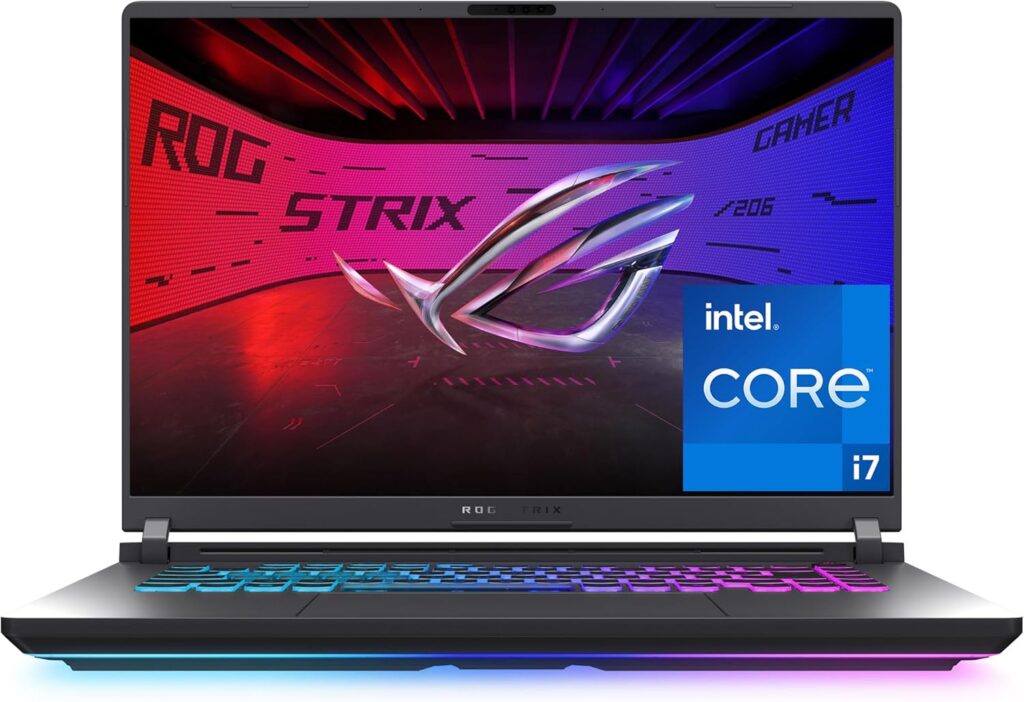
Machine learning models often take hours to train. Thin and light laptops will throttle their performance to avoid overheating, significantly extending training times. The ASUS ROG Strix G16 solves this with aggressive, state-of-the-art cooling.
- Processor (CPU): Intel Core i7-14650HX
- Graphics (GPU): NVIDIA GeForce RTX 5060 (Blackwell Architecture)
- Memory (RAM): 16GB DDR5-5600MHz
- Storage: 1TB PCIe Gen 4 SSD
- Display: 16” FHD+ 16:10 (165Hz/3ms)
Pros:
- Tri-fan technology and Conductonaut extreme liquid metal prevent thermal throttling.
- Powerful 14th Gen Intel HX processor excels at data wrangling.
- 1TB Gen 4 SSD ensures rapid loading of massive data batches.
- Sleek 16:10 aspect ratio provides more vertical screen space for writing code.
Cons:
- The “gamer” aesthetic and 360° RGB light bar might not appeal to everyone (though it can be disabled in Stealth Mode).
- Bulky power adapter required for full performance.
Why it’s good for AI beginners: Consistency is key in machine learning. When running an epoch that takes three hours, you need a laptop that won’t overheat and slow down. The thermal headroom on the Strix G16 means the RTX 5060 can draw maximum wattage continuously. It provides a highly stable environment for running PyTorch and TensorFlow workloads.
4. Acer Nitro V 15 – Best Budget Entry for AI
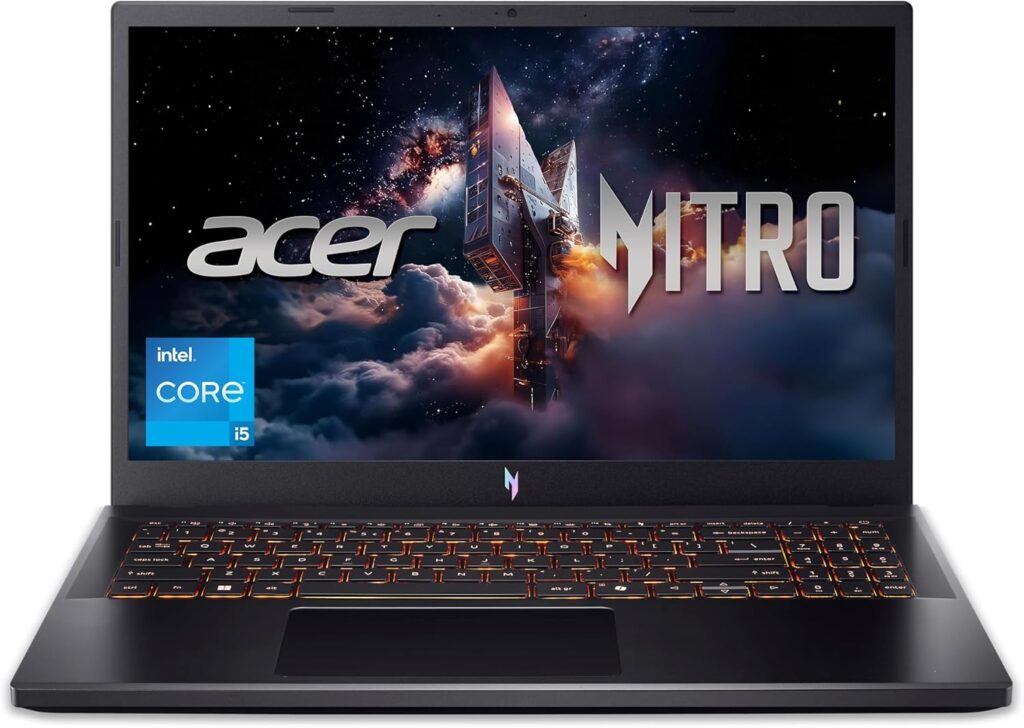
AI hardware is notoriously expensive, but the Acer Nitro V 15 proves that a functional laptop for machine learning doesn’t require emptying a bank account. It is the most cost-effective way to gain access to NVIDIA’s indispensable CUDA ecosystem.
- Processor (CPU): Intel Core i5-13420H
- Graphics (GPU): NVIDIA GeForce RTX 4050
- Memory (RAM): 8GB DDR5 (Upgradable to 32GB)
- Storage: 512GB PCIe Gen 4 SSD
- Display: 15.6″ FHD IPS (165Hz)
Pros:
- Highly affordable entry point into local AI development.
- Includes a dedicated NVIDIA GPU (crucial for hardware acceleration).
- Thunderbolt 4 port included for fast data transfers.
Cons:
- 8GB of system RAM is very low for modern data science (upgrade highly recommended).
- Build quality relies heavily on plastic.
Why it’s good for AI beginners: If the primary goal is to learn the syntax of machine learning, build basic regressions, train small computer vision models, and understand how CUDA works, the Nitro V provides the necessary tools at a fraction of the cost. The RTX 4050 ensures compatibility with all major frameworks. Note: AI students should immediately take advantage of the two DDR5 slots and upgrade the RAM to at least 16GB for smooth multitasking.
5. Dell 15 (DC15250) – Best for Cloud-Based Machine Learning
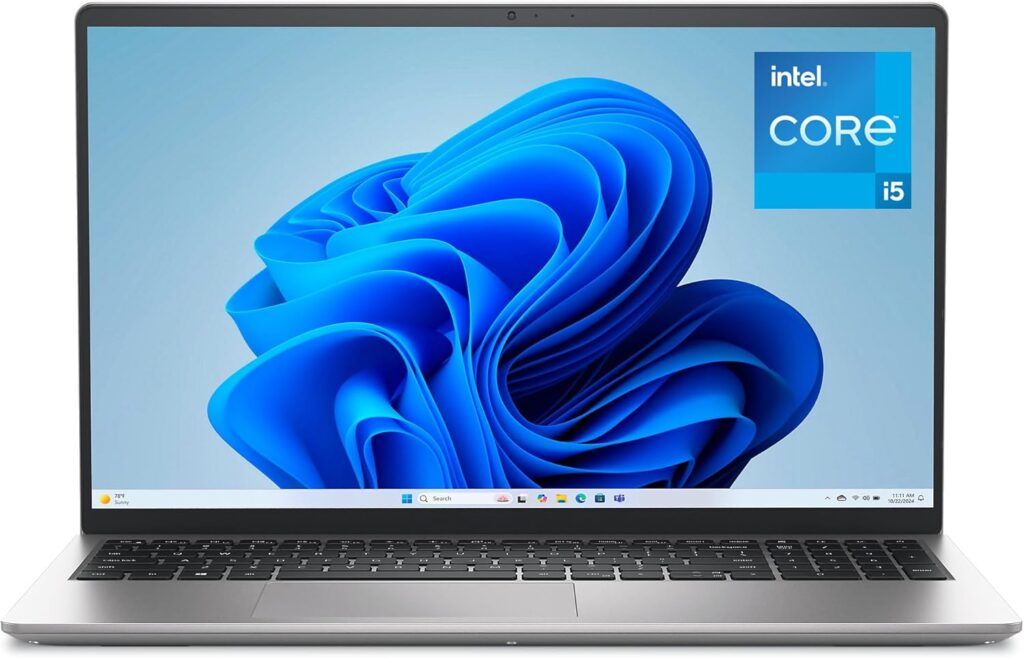
Not every AI student trains models locally. Many universities and online courses provide access to cloud computing clusters (like Google Colab or AWS). For developers who want a highly portable, professional machine strictly for writing code and pushing it to the cloud, the Dell 15 is a practical choice.
- Processor (CPU): Intel Core i5-13420H
- Graphics (GPU): NVIDIA GeForce RTX 4050
- Memory (RAM): 8GB DDR5 (Upgradable to 32GB)
- Storage: 512GB PCIe Gen 4 SSD
- Display: 15.6″ FHD IPS (165Hz)
Pros:
- Highly affordable entry point into local AI development.
- Includes a dedicated NVIDIA GPU (crucial for hardware acceleration).
- Thunderbolt 4 port included for fast data transfers.
Cons:
- 8GB of system RAM is very low for modern data science (upgrade highly recommended).
- Build quality relies heavily on plastic.
Why it’s good for AI beginners: If the primary goal is to learn the syntax of machine learning, build basic regressions, train small computer vision models, and understand how CUDA works, the Nitro V provides the necessary tools at a fraction of the cost. The RTX 4050 ensures compatibility with all major frameworks. Note: AI students should immediately take advantage of the two DDR5 slots and upgrade the RAM to at least 16GB for smooth multitasking.
AI Laptop Buying Guide: What Beginners Actually Need
Choosing a laptop for machine learning is vastly different from buying a laptop for web development or general office work. The hardware requirements are highly specific to the mathematics involved in training models. Here is what matters most.
CPU vs GPU: The CUDA Factor
In standard programming, the Central Processing Unit (CPU) does all the heavy lifting. In Artificial Intelligence and Deep Learning, the Graphics Processing Unit (GPU) is the core engine.
Machine learning relies on matrix multiplication—performing thousands of simple mathematical operations simultaneously. CPUs have a few very fast cores designed for complex sequential tasks. GPUs have thousands of slower cores designed for parallel processing.
For AI beginners training models locally, NVIDIA GPUs are the industry standard. NVIDIA created a parallel computing platform called CUDA (Compute Unified Device Architecture). The most popular AI libraries (TensorFlow, PyTorch, Keras) are heavily optimized to run on CUDA cores. Buying a laptop with an RTX 4050, 5060, or 5070 ensures frictionless compatibility with standard academic tutorials.
RAM: System Memory vs VRAM
When selecting an AI programming laptop, there are two types of memory to consider:
- System RAM: This handles your operating system, browser tabs, and loading datasets into memory before feeding them to the AI model. Data science tasks utilizing Pandas or NumPy rely heavily on System RAM. 16GB is the minimum requirement for a smooth experience. If purchasing a budget laptop with 8GB (like the Acer Nitro V), plan to install more RAM immediately.
- VRAM (Video RAM): This is the memory built into the graphics card (GPU). VRAM dictates the size of the neural network you can train and the batch size (how much data is passed through the network at once). Dedicated GPUs typically start with 6GB to 8GB of VRAM, which is perfect for beginners.
Storage Needs
Machine learning involves massive amounts of data. Image datasets for computer vision, millions of rows of CSV data, and the environments required to run them (Anaconda, Docker environments) take up significant space. A 1TB NVMe SSD is strongly recommended. If opting for a 512GB drive, be prepared to heavily manage your storage or rely on fast external SSDs.
Mac vs Windows for AI Beginners
This is the most common debate among computer science students today.
- Windows (with NVIDIA): This is the path of least resistance. The vast majority of academic research, enterprise models, and online tutorials assume the user is running an NVIDIA GPU via Windows or Linux. It is plug-and-play for PyTorch and CUDA.
- Mac (Apple Silicon): Apple has made massive strides with its hardware. For traditional deep learning, Macs historically lagged due to the lack of CUDA. However, for running and fine-tuning Large Language Models (LLMs), Macs are currently incredible due to their Unified Memory architecture. A Mac with 24GB of unified memory allows the GPU to access far more RAM than a standard 8GB Windows GPU, making it highly capable of running modern AI models locally.
Final Verdict
Selecting the best laptop for AI beginners comes down to your budget, preferred operating system, and whether you plan to compute locally or in the cloud:
- For the ultimate local training experience: The Lenovo Legion 5i provides incredible RTX 5070 performance alongside a stunning OLED display, making it the most capable machine on this list.
- For Apple ecosystem users and LLM enthusiasts: The Apple MacBook Pro 14 (M4 Pro) utilizes its massive 24GB of unified memory to accomplish AI tasks with unparalleled battery efficiency.
- For absolute beginners on a strict budget: The Acer Nitro V 15 offers the cheapest entry point into the NVIDIA CUDA ecosystem, provided you are willing to upgrade the system RAM yourself.
- For the cloud-reliant coder: The Dell 15 is the perfect lightweight companion for students who push all their heavy machine learning workloads to AWS or Google Colab and prioritize battery life over local GPU power.
Frequently Asked Questions (FAQ)
Do I need a GPU for machine learning?
For basic machine learning (like linear regression, decision trees, or random forests using scikit-learn), a standard CPU is sufficient. However, for Deep Learning (neural networks, computer vision, natural language processing), a dedicated NVIDIA GPU is absolutely essential if you plan to train models locally. Without it, training times can extend from minutes to days.
Is MacBook good for AI?
Yes, Apple Silicon (M4, M4 Pro, M4 Max) is excellent for AI, particularly for data wrangling, general Python scripting, and running Large Language Models locally using Apple’s MLX framework. However, for students who strictly need to learn NVIDIA CUDA programming for university coursework, a Windows machine is still the safest choice.
Is 16GB RAM enough for AI?
16GB of system RAM is the baseline standard for an AI beginner. It is enough to run Jupyter Notebooks, load moderate-sized datasets into memory, and complete most university-level coursework. If you deal with exceptionally large datasets, upgrading to 32GB later will prevent your system from crashing.
Can I use a gaming laptop for AI?
Absolutely. In fact, gaming laptops are currently the best laptops for machine learning. The hardware required to render high-end 3D graphics—powerful CPUs, NVIDIA GPUs, and robust cooling systems—is the exact same hardware required to train deep neural networks.
Should I use cloud computing instead of buying an AI laptop?
Cloud computing platforms (like Google Colab, AWS, or Azure) are excellent tools. Many professionals write code locally on a basic laptop (like the Dell 15) and push the heavy training to the cloud. However, relying purely on the cloud requires a constant internet connection, can incur unexpected hourly costs, and prevents students from learning how to set up local hardware environments. A dedicated AI laptop is best for consistent, cost-free learning.